


Case Study
United Energy & Multinet Gas
How United Energy and Multinet Gas reduced their Segregation of Duties count by 98% with Soterion.
The United Energy & Multinet Gas Story
United Energy (UE) and Multinet Gas (MG) provide a safe and reliable energy supply to people across east and southeast Melbourne and the Mornington Peninsula in Australia. They are separate businesses with different boards of directors and ownership structures, but are managed by the same head office.
UE distributes electricity to more than 650,000 customers through a network of 215,000 poles and approximately 13,000 km of wires. MG distributes natural gas to 660,000 customers through 164 km of transmission pressure pipelines and 9,866 km of distribution mains.


Relying on Audit Reports for Visibility
UE and MG run SAP but had no SAP access risk tool in place, so they relied on SAP audit reports to highlight risks. The reports showed that IT support users had wide access to the SAP system, threatening its integrity.
They needed a tool that gave better visibility of SAP on a continuous basis, could limit unauthorised users’ access to SAP functionality, and fitted both businesses in terms of cost and complexity.
Getting Business Specific
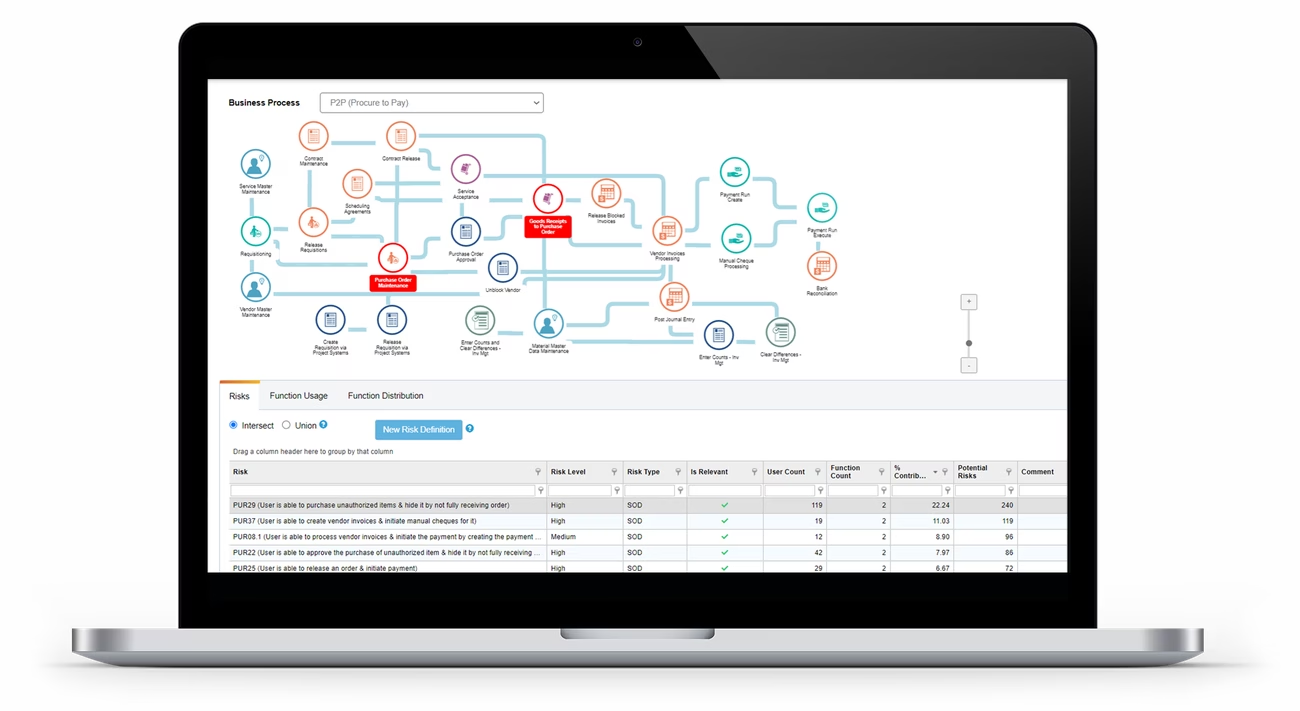
Soterion for SAP was chosen as the best fit and most user-friendly solution. Installation and training took place over three days. Historical user–transaction data was imported, and Soterion reported on users' access risk in relation to the transaction codes they were actually using. PricewaterhouseCoopers (PwC) provided a customised rule set, which was imported into Soterion so the company could monitor the risks most relevant and critical to its business. UE and MG started by renting the tool to evaluate it — and after six months, having seen the value, purchased it outright.
Why UE and MG Chose Soterion

The best fit and most user-friendly option for both businesses.

Installation and training were completed in three days.

Access risk is reported against the transactions users actually use, making it easy to see what can be removed.

A customised rule set from PwC was imported, so monitoring focuses on risks relevant and critical to the business.
“We appreciate that managing SAP access risk will always take effort. The access risk rule set should be updated on a continuous basis to cater for new functionality and there is a constant search for better and easier mitigating control reports. However, Soterion for SAP has allowed us to get to this point with minimal effort and at a far reduced cost than initially expected.”
Basile Sepsakos,, General Manager Information Technology at United Energy
Key Lessons from UE and MG's Implementation
- Audit reports alone don't provide continuous visibility of SAP access risk.
- Start by removing the roles and transactions contributing to risk, then remove transaction codes users aren't using.
- Where support roles are too wide to clean up, rebuild them based on actual usage.
- Try before you buy: renting the tool first let UE and MG prove its value before purchasing.

The security team removed the roles and transactions contributing to access risk, then removed unused transaction codes from roles. Where support roles were too wide to clean up, Soterion's Wizard functionality built new roles based on actual usage. The clean-up reduced the SoD count by 98% without any impact on the business.

Soterion prevents unauthorised users from having unnecessarily wide access in SAP, with excellent business reporting. It gives the risk visibility needed for informed decisions — shifting responsibility for SAP authorisation security from the IT support team to business leaders.
Ready to take control of your SAP access risk?
Talk to a Soterion solutions expert.